

Simultaneously edit Capella models with your team members

Team for Capella is an affordable and multi-user Capella add-on to simply collaborate on the same system model

icon persons

Live Collaboration

Simultaneously work with
other users and dynamically
see their modifications.

icon chrono

Time-Saving

Don’t waste your time
resolving conflicts generated
by concurrent updates.

Icon database

Standard Data Access

Your models and their
representations always
remain accessible.

users

Switch to multi-user mode

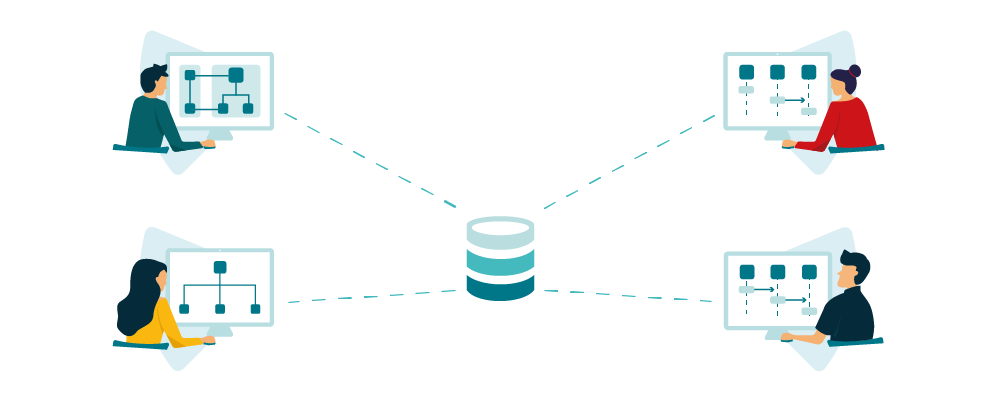
With Team for Capella, several users working on an MBSE project can simultaneously edit the same Capella model without conflicts.

Thanks to a fine-grained locking mechanism, users automatically lock the model elements they are modifying. Modifications are performed on the shared model, and visible to other users as soon as they are saved.

To get rid of file sharing problems!

Team for Capella dramatically simplifies how you can collaboratively work on the same model by avoiding you to share XMI files.

No need to lock the whole model, to merge concurrent modifications nor to split the model into fragments. With Team for Capella, users really work on the same model simultaneously.

versionning tool

Complementary to your versioning tool or PLM

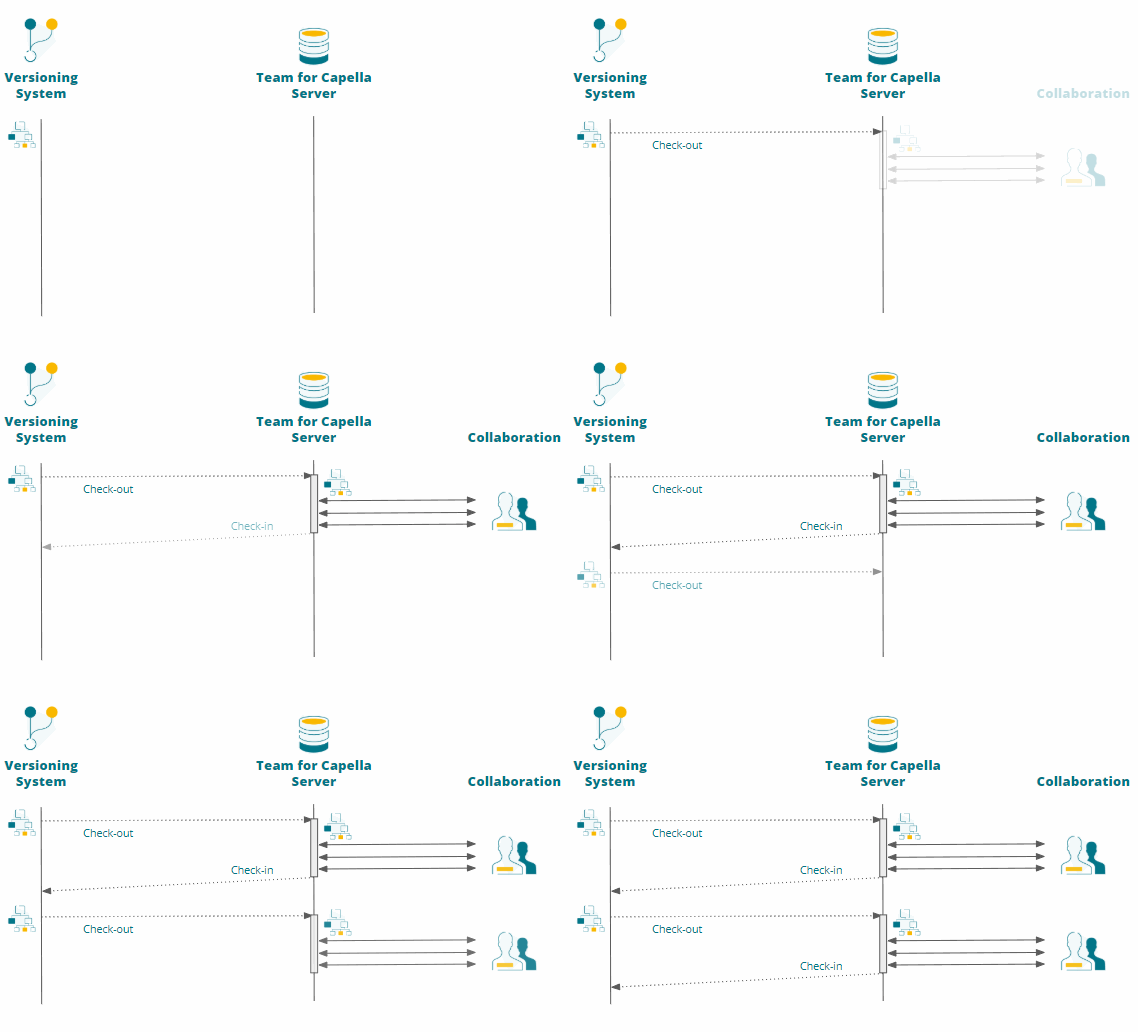
Historic of versions can be managed separately with the tool of your choice (such as Git, SVN, or Teamcenter).

All collaborative working sessions can start from any version coming from your versioning system and exported into Team for Capella database.

After the collaborative session is finished the result can be re-imported to form a new version.

Case-studies

Thales Australia

Collaboration and innovation on an integrated Civil and Military Air Traffic Management System (CAMTS).

Deutsche Bahn AG

Modernization of the future Railway System by sharing knowledge and expertise across multiple domains.

UKAEA

Establishing an authoritative source of truth for the architecture of a Fusion Energy Plant prototype.

Flexible Deployment

Icon building

On-Premise

The server is deployed on your own infrastructure
The client is installed on the users’ desktop

Icon Clouds

Cloud

The server is installed on a Cloud infrastructure managed by Obeo
The client is accessible remotely

Learn more  

You are a student, professor or researcher?
Apply for free to our Academic Program

Features

icon persons Simultaneous collaboration

Any object being edited is automatically locked and indicated to other users by a specific decorator. Only this object and its closest dependents are locked, allowing other users to continue working on the same model. These fine-grained locks are automatically released as soon as the modifications are saved.

This allows several users to work simultaneously on the same model.

open innovation Instant updating

As soon as a modification on a model element is saved, it becomes automatically and instantly visible across all users’ views, in real-time.

No need to manually refresh your model in order to retrieve modifications performed by other users: you are always working on up-to-date model elements.

Explicit locking

When users need to work for a long period of time on the same set of model elements, they can explicitly lock these elements.

The lock will only be released on-demand, as soon as the owner of the lock decides to allow other users to work on these elements.

Icon database Storage on a shared server

Team for Capella runs on a server shared across all your authorized team members. It can be administrated to properly start and stop the system, and see who is currently connected.

Models can be stored on one or several database(s) deployed on one or several machine(s).

Sharing a local project
Modeling projects which are installed on your environment can be exported to the remote repository in order to be shared with other team members.
icon download Retrieving a remote project
Projects installed on the shared server can be manually imported into your environment or automatically saved to a backup server.
Change history

The history of commits is available to see which changes occurred on the shared models.

At any time, you can compare two versions to see the differences. You can also see all the model elements and diagrams impacted by several commits.

Icon cloud Secured access

Data stored in the repositories can be protected:

  • by using LDAP to authenticate users,
  • and by using SSL to encrypt the exchanges between the clients and the database(s).

It is also possible to define access rights depending on user profiles.

Icon graph Flexible licensing mode

Our floating licensing model allows you to deploy Team for Capella in a flexible way, depending on your context and your infrastructure:

  • Licenses can be floating, allowing them to be shared among several users over time.
  • If your network’s bandwidth runs low, a remote desktop mechanism/system can be implemented so you don’t have to deploy the Team for Capella client on every users’ machines.
  • Large organizations using Capella on several projects can deploy Team for Capella server on several machines simultaneously: the licensing model controls the number of currently connected users, not the number of running servers.

Team for Capella is the property of Thales Global Services

Demo

Watch this webinar for a comprehensive presentation and demo of Team for Capella:

Ecodesign for Capella

Bridge between Capella and Life Cycle Assessment tools

System Modeling Workbench

Capella integrated with Siemens Teamcenter

Other Capella Offerings

Training & Coaching

Training and coaching to ensure your deployment of Capella and MBSE

Publication for Capella

Fine-grained integration between Capella and tools such as Polartion and DOORS

Integration & Customization

Custom development to adapt Capella to your own processes and tools

Contact Us